NotificationCompat报错分析与解决方法
一、引言
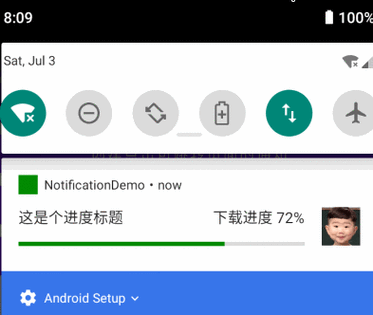
在使用Android开发时,NotificationCompat是一个非常重要的类,用于创建和管理通知,在实际开发过程中,开发者可能会遇到各种报错问题,本文将详细分析NotificationCompat的常见报错原因,并提供解决方案。
二、NotificationCompat常见报错及解决方法
1.NoSuchMethodError: no nonstatic method "Landroid/support/v4/app/NotificationCompat$Builder;.addAction(Landroid/app/Notification$Action;)"
原因分析:
这个错误通常是由于使用了错误的NotificationCompat.Builder版本导致的,在较新的支持库中,addAction()方法已经被弃用,应该使用addAction(int icon, CharSequence title, PendingIntent intent)方法代替。
解决方法:
确保你使用的是最新版本的支持库,并且正确地使用了addAction()方法。
NotificationCompat.Builder builder = new NotificationCompat.Builder(this)
        .setSmallIcon(R.drawable.ic_notification)
        .setContentTitle("Notification Title")
        .setContentText("Notification Text")
.addAction(R.drawable.ic_action, "Action Label", pendingIntent);2.IllegalArgumentException: contentIntent required
原因分析:
这个错误表示你在创建通知时没有提供contentIntent参数。contentIntent是用户点击通知时触发的意图。
解决方法:
在创建通知时,确保提供了有效的contentIntent。
PendingIntent contentIntent = PendingIntent.getActivity(this, 0, new Intent(this, MainActivity.class), 0);
NotificationCompat.Builder builder = new NotificationCompat.Builder(this)
        .setSmallIcon(R.drawable.ic_notification)
        .setContentTitle("Notification Title")
        .setContentText("Notification Text")
        .setContentIntent(contentIntent);
`RemoteException`
原因分析:
这个错误通常发生在尝试发送通知到远程进程时,这可能是由于权限问题或目标进程不存在导致的。
解决方法:

确保你的应用具有发送通知所需的权限,并且在尝试发送通知之前检查目标进程是否存在。
<usespermission android:name="android.permission.POST_NOTIFICATIONS" />
try {
    // 尝试发送通知
} catch (RemoteException e) {
    e.printStackTrace();
}4.SecurityException
原因分析:
这个错误通常发生在尝试访问受限资源或执行受限操作时,这可能是由于权限不足或安全策略限制导致的。
解决方法:
确保你的应用具有执行所需操作的权限,并且遵守系统的安全策略。
<usespermission android:name="android.permission.ACCESS_NOTIFICATION_POLICY" />
if (ContextCompat.checkSelfPermission(this, Manifest.permission.ACCESS_NOTIFICATION_POLICY) == PackageManager.PERMISSION_GRANTED) {
    // 执行需要权限的操作
} else {
    // 请求权限
    ActivityCompat.requestPermissions(this, new String[]{Manifest.permission.ACCESS_NOTIFICATION_POLICY}, PERMISSION_REQUEST_CODE);
}5.NullPointerException
原因分析:
这个错误通常发生在尝试访问空对象的属性或方法时,这可能是由于对象未初始化或传递了null值导致的。
解决方法:
在访问对象之前,始终检查它是否为null,并确保传递的值不为null。
if (builder != null && contentIntent != null) {
    builder.setContentIntent(contentIntent);
} else {
    // 处理null情况
}
三、相关问答FAQs
Q1: 如何更改通知的颜色?
A1: 你可以通过设置通知渠道的颜色来更改通知的颜色,创建一个通知渠道,然后在创建通知时指定该渠道。
String channelId = "my_channel_id";
CharSequence name = "My Channel";
String description = "This is my channel";
int importance = NotificationManager.IMPORTANCE_HIGH;
NotificationChannel channel = new NotificationChannel(channelId, name, importance);
channel.setDescription(description);
// 设置颜色(API级别26及以上)
channel.setLightColor(Color.RED);
channel.setVibrationPattern(new long[]{100, 200, 300, 400});
channel.enableVibration(true);
NotificationManager notificationManager = getSystemService(NotificationManager.class);
notificationManager.createNotificationChannel(channel);
NotificationCompat.Builder builder = new NotificationCompat.Builder(this, channelId)
        .setSmallIcon(R.drawable.ic_notification)
        .setContentTitle("Notification Title")
        .setContentText("Notification Text");
Q2: 如何取消一个已经显示的通知?
A2: 你可以使用NotificationManager的cancel()方法来取消一个已经显示的通知,你需要提供通知ID作为参数。
NotificationManager notificationManager = (NotificationManager) getSystemService(Context.NOTIFICATION_SERVICE);
notificationManager.cancel(notificationId); // notificationId是你之前创建通知时使用的ID