
Thymeleaf $ 报错问题详解
一、问题描述
在使用SpringBoot开发项目时,如果在HTML文件中使用Thymeleaf模板并遇到红色波浪线报错,通常是因为IDEA(或其他开发工具)无法解析Thymeleaf表达式。${xxx}表达式会显示“Cannot resolvexxx”的错误提示,尽管这些错误提示不会影响最终页面的渲染和显示,但它们会影响开发者的开发体验。
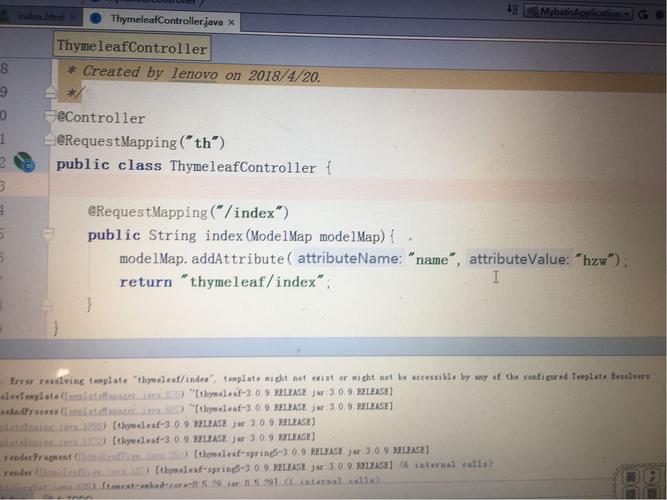
二、问题原因分析
1、IDEA的默认行为:
IDEA等开发工具默认会对HTML中的表达式进行语法检查和验证,由于Thymeleaf表达式不是标准的HTML语法,所以会出现报错。
2、集成过程中的问题:
有时候在集成Thymeleaf的过程中可能会遗漏某些步骤,导致IDE无法正确识别Thymeleaf模板。
3、数据类型问题:
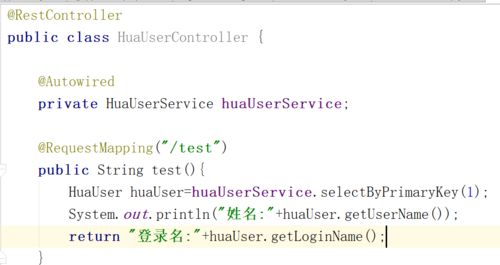
如果传递到Thymeleaf模板中的数据是Object类型而不是具体的实体类,IDEA可能无法解析该对象的属性。
4、命名空间未引入:
在HTML文件的头部没有正确引入Thymeleaf的命名空间,导致模板解析器无法识别Thymeleaf指令。
5、版本不匹配:
使用的Thymeleaf版本与Spring Boot的版本不匹配,可能导致一些功能无法正常使用。
三、解决方法
1、关闭Thymeleaf表达式数据验证:
在IDEA中,可以通过以下步骤关闭Thymeleaf表达式的数据验证:
1. 打开“File” > “Settings” > “Editor” > “Inspection”。
2. 在输入框中输入“thy”,找到Thymeleaf插件。
3. 取消勾选“Expression variables validation”,然后点击“Apply”再点击“OK”。
2、确保引入正确的命名空间:
在HTML文件的开头添加Thymeleaf的命名空间声明:
<html xmlns:th="http://www.thymeleaf.org">这样可以确保Thymeleaf模板引擎能够正确解析模板中的指令。
3、检查数据类型:
确保传递给模板的数据是具体的实体类,而不是Object类型,如果是Object类型,IDEA可能无法解析其属性。
4、配置Thymeleaf模板解析器:
在Spring Boot项目中,确保在配置文件中正确配置了Thymeleaf模板解析器:
     spring.thymeleaf.mode=HTML
     spring.thymeleaf.encoding=UTF8
     spring.thymeleaf.cache=false
     spring.thymeleaf.prefix=classpath:/templates/
spring.thymeleaf.suffix=.html5、升级或降级Thymeleaf版本:
如果使用的是较旧版本的Thymeleaf,可以尝试升级到最新版本,如果使用的是最新版本,可以尝试降级到一个稳定版本,以确保兼容性。
6、使用注释解决:
在HTML文件中,可以使用注释来避免IDEA的报错提示:
<!/*@thymesVar id="server" type="com.xxx.Server"*/>这种方法虽然可以解决问题,但不太优雅,建议作为最后的手段。
在使用Thymeleaf时,遇到红色波浪线报错通常是由于IDEA无法解析Thymeleaf表达式所致,通过关闭表达式验证、引入正确的命名空间、检查数据类型以及正确配置模板解析器等方法,可以有效解决这一问题,确保Thymeleaf版本与Spring Boot版本的兼容性也是非常重要的。
五、相关FAQs
Q1: 如何在Spring Boot项目中集成Thymeleaf?
A1: 在Spring Boot项目中集成Thymeleaf需要以下几个步骤:
1、在pom.xml文件中添加Thymeleaf的依赖项:
   <dependency>
       <groupId>org.springframework.boot</groupId>
       <artifactId>springbootstarterthymeleaf</artifactId>
   </dependency>
2、在项目的配置文件中配置Thymeleaf模板解析器:
   spring.thymeleaf.mode=HTML
   spring.thymeleaf.encoding=UTF8
   spring.thymeleaf.cache=false
   spring.thymeleaf.prefix=classpath:/templates/
   spring.thymeleaf.suffix=.html
3、创建Thymeleaf模板文件(通常放在src/main/resources/templates目录下),并在HTML文件中引入Thymeleaf的命名空间:
<html xmlns:th="http://www.thymeleaf.org">
4、在控制器中返回视图名称,并将数据添加到模型中:
   @Controller
   public class MyController {
       @GetMapping("/mypage")
       public String myPage(Model model) {
           model.addAttribute("name", "Tom");
           return "mypage";
       }
   }
Q2: Thymeleaf中的th:each和th:if如何使用?
A2: Thymeleaf提供了th:each和th:if指令用于迭代和条件判断,以下是它们的使用方法:
th:each:用于迭代集合,遍历一个用户列表:
  <div th:each="user : ${users}">
      <p th:text="${user.name}"></p>
</div>th:if:用于条件判断,仅在用户存在时显示某段内容:
  <div th:if="${user != null}">
      <p>Welcome, [[${user.name}]]!</p>
</div> 


