在使用Spring Boot进行项目开发时,XML配置文件报错是许多开发者会遇到的问题,这类错误不仅可能影响项目启动,还可能隐藏更深层次的配置或依赖冲突,本文将从实际案例出发,分析常见的XML配置报错场景,并提供解决方案,帮助开发者快速定位问题根源。
1. XML配置解析失败的典型表现
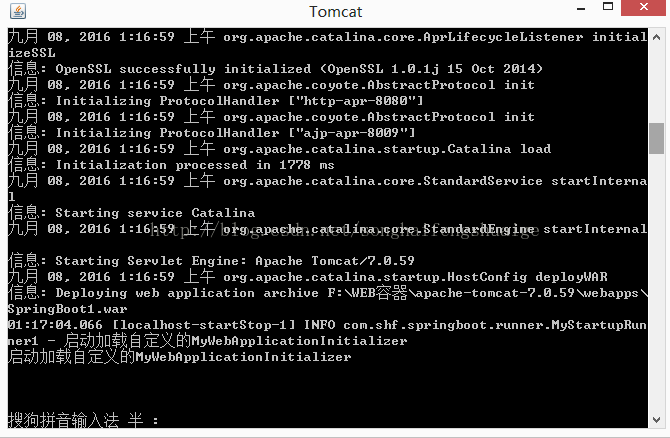
当Spring Boot项目启动时,若控制台出现类似以下报错信息,通常意味着XML配置文件存在问题:
org.springframework.beans.factory.BeanDefinitionStoreException:
Failed to parse XML configuration file; nested exception is...
这类错误往往由以下三类原因引发:
**(1)XML语法错误
常见场景:标签未闭合、属性值缺少引号、特殊字符未转义(如&需写成&)。
解决方案:
1. 使用IDE(如IntelliJ IDEA)的XML语法检查功能自动标记错误位置。
2. 通过mvn clean compile命令编译项目,Maven会明确提示语法错误的具体行号。
**(2)命名空间声明缺失
案例:在配置数据源时未声明xmlns:context命名空间,导致<context:property-placeholder>标签无法识别。
修复方法:在XML根标签中补充缺失的命名空间声明:
<beans xmlns="http://www.springframework.org/schema/beans"
       xmlns:xsi="http://www.w3.org/2001/XMLSchema-instance"
       xmlns:context="http://www.springframework.org/schema/context"
       xsi:schemaLocation="
           http://www.springframework.org/schema/beans
           http://www.springframework.org/schema/beans/spring-beans.xsd
           http://www.springframework.org/schema/context
           http://www.springframework.org/schema/context/spring-context.xsd">
2. 依赖冲突引发的XML加载异常
当项目中引入多个依赖库时,不同版本的Spring组件可能导致XML解析器冲突。
Caused by: java.lang.ClassNotFoundException: org.springframework.asm.ClassVisitor
此问题通常由以下原因导致:
依赖传递冲突:A库依赖Spring 5.3.0,B库依赖Spring 4.2.0,导致类加载器找不到兼容的版本。

解决方案:
1. 执行mvn dependency:tree查看依赖树,定位冲突的库。
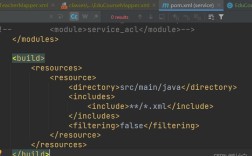
2. 在pom.xml中通过<exclusion>排除低版本依赖:
<dependency>
    <groupId>com.example</groupId>
    <artifactId>problematic-lib</artifactId>
    <exclusions>
        <exclusion>
            <groupId>org.springframework</groupId>
            <artifactId>spring-core</artifactId>
        </exclusion>
    </exclusions>
</dependency>
**3. 环境差异导致的路径问题
开发环境与生产环境的配置差异可能引发XML文件加载失败。
FileNotFoundException: class path resource [config/datasource.xml] cannot be opened
排查步骤:
1、确认XML文件是否位于src/main/resources目录下。
2、检查application.properties中配置的路径是否与项目结构匹配:
spring.config.import=classpath:config/datasource.xml
3、若使用@ImportResource注解,需确保路径前缀正确:
@ImportResource("classpath:config/beans.xml")**4. 扩展点配置错误
自定义标签或扩展Spring Schema时,配置不当可能引发解析异常,例如集成MyBatis出现:
org.xml.sax.SAXParseException: The prefix "mybatis" for element "mybatis:scan" is not bound
解决方法:
1、在XML头部声明MyBatis命名空间:
xmlns:mybatis="http://mybatis.org/schema/mybatis-spring"
xsi:schemaLocation="...
    http://mybatis.org/schema/mybatis-spring
http://mybatis.org/schema/mybatis-spring.xsd"2、确认是否已引入mybatis-spring依赖:
<dependency>
    <groupId>org.mybatis.spring.boot</groupId>
    <artifactId>mybatis-spring-boot-starter</artifactId>
    <version>3.0.3</version>
</dependency>
**个人观点
XML配置在Spring Boot项目中仍具有不可替代的价值,尤其在需要兼容旧系统或复杂模块化场景下,面对报错时,建议优先通过IDE工具和Maven日志定位问题,而非盲目搜索解决方案,对于新项目,可逐步迁移至Java Config以降低配置复杂度,但需注意混合使用时的兼容性,开发过程中,维护一份清晰的依赖版本映射表,能有效减少80%的隐性冲突问题。