MyBatis配置报错问题解析
在软件开发过程中,配置错误是一个常见且棘手的问题,本文将详细探讨在使用MyBatis时遇到的配置错误,包括其原因、解决方法以及相关的FAQs,希望通过本文的讲解,能够帮助开发者更好地理解和解决这些问题。
MyBatis配置报错的原因及解决方法
1. MyBatis配置顺序错误
报错信息:Cause: org.xml.sax.SAXParseException; lineNumber: 54; columnNumber: 17; 元素类型为 "configuration" 的内容必须匹配 "(properties?,settings?,typeAliases?,typeHandlers?,objectFactory?,objectWrapperFactory?,reflectorFactory?,plugins?,environments?,databaseIdProvider?,mappers?)"。
原因:MyBatis配置文件中的元素顺序错误,根据MyBatis的要求,XML文件中<configuration>标签内的子元素必须按照特定的顺序排列,否则会引发解析错误。
解决方法:确保在MyBatis的配置文件中,各子元素按照以下顺序排列:
     <configuration>
         <properties/>
         <settings/>
         <typeAliases/>
         <typeHandlers/>
         <objectFactory/>
         <objectWrapperFactory/>
         <plugins/>
         <environments/>
         <databaseIdProvider/>
         <mappers/>
     </configuration>
通过调整元素的顺序,可以解决该错误。
2. Spring Boot项目中缺少依赖
报错信息:使用@Configuration注解时出现各种依赖问题或无法识别的情况。
原因:Spring Boot项目可能缺少必要的依赖包,或者依赖版本不兼容。
解决方法:检查项目的pom.xml文件,确保添加了必要的依赖项,对于Spring Boot项目,需要在pom.xml中添加springbootstarterparent依赖:
     <parent>
         <groupId>org.springframework.boot</groupId>
         <artifactId>springbootstarterparent</artifactId>
         <version>2.5.4</version>
         <relativePath/> <!lookup parent from repository >
     </parent>
如果使用的是普通的Spring项目,则需要添加springcontext依赖:
     <dependency>
         <groupId>org.springframework</groupId>
         <artifactId>springcontext</artifactId>
         <version>5.3.9</version>
     </dependency>
3. 包扫描问题
报错信息:在使用@ComponentScan时,某些类无法被扫描到,导致配置错误。
原因:可能是因为在项目的启动阶段,IDE还没有扫描到model类,无法发现对应的bean。
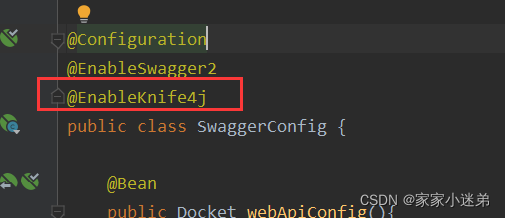
解决方法:手动在@Configuration注解下面添加@ComponentScan注解并指定所需model类的包地址:
     @Configuration
     @ComponentScan(basePackages = "com.example.model")
     public class AppConfig {
         // bean definitions
     }
这样就能解决包扫描不到的问题。
相关FAQs
Q1:如何在Spring Boot项目中启用Swagger?
A1:在Spring Boot项目中启用Swagger,首先需要添加Swagger的Maven依赖:
<dependency>
    <groupId>io.springfox</groupId>
    <artifactId>springfoxswagger2</artifactId>
    <version>2.9.2</version>
</dependency>
<dependency>
    <groupId>io.springfox</groupId>
    <artifactId>springfoxswaggerui</artifactId>
    <version>2.9.2</version>
</dependency>在主类中使用@EnableSwagger2注解:
import springfox.documentation.swagger2.annotations.EnableSwagger2;
@SpringBootApplication
@EnableSwagger2
public class Application {
    public static void main(String[] args) {
        SpringApplication.run(Application.class, args);
    }
}
创建Swagger配置类:
import springfox.documentation.spi.DocumentationType;
import springfox.documentation.spring.web.plugins.Docket;
import springfox.documentation.swagger2.annotations.EnableSwagger2;
import org.springframework.context.annotation.Bean;
import org.springframework.context.annotation.Configuration;
@Configuration
@EnableSwagger2
public class SwaggerConfig {
    @Bean
    public Docket api() {
        return new Docket(DocumentationType.SWAGGER_2)
                .select()
                .build();
    }
}访问http://localhost:8080/swaggerui.html即可查看Swagger UI界面。
Q2:如何解决MyBatis与Spring Boot集成时的Lambda支持问题?
A2:在MyBatis 3.5.1版本及以上,确保在配置文件中启用Lambda支持,可以在MyBatis Plus配置类中添加如下代码:
@Bean
public MybatisPlusConfig mybatisPlusConfig() {
    return new MybatisPlusConfig().lambdaSupport(true);
}
这样可以确保MyBatis能够正确处理Lambda表达式。
配置错误是软件开发中常见的问题,但通过仔细检查和调整,通常可以快速解决,本文详细介绍了MyBatis配置报错的常见原因及其解决方法,并提供了两个相关的FAQs,希望对读者有所帮助,在实际开发中,建议开发者养成良好的编码习惯,定期检查配置文件,以避免类似问题的发生。