FastCGI报错分析与解决方案
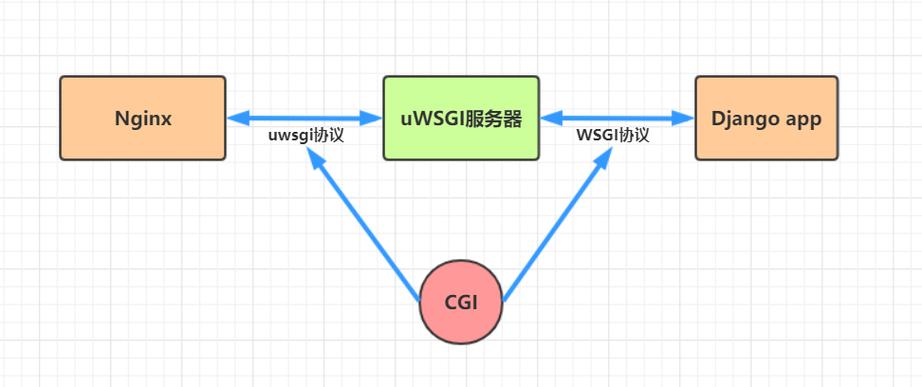
FastCGI(Fast Common Gateway Interface)是一种高性能的Web服务器和动态脚本之间的通信协议,在实际应用中,FastCGI常用于Nginx与PHPFPM之间的通信,在使用过程中,FastCGI可能会遇到各种错误,本文将详细探讨FastCGI报错的原因、解决方法以及相关的FAQs。
一、常见FastCGI报错及解决方法
1、FastCGI request record is too big
原因:当FastCGI请求记录的大小超过了Nginx的限制时,会出现此错误。
解决方法:调整Nginx配置文件中的fastcgi_buffer_size和fastcgi_buffers参数,增加其值以适应较大的请求记录。
     http {
         fastcgi_buffer_size 128k;
         fastcgi_buffers 4 256k;
         ...
}2、FastCGI sent in stderr: "Primary script unknown"
原因:通常是由于FastCGI与PHP之间的通信问题引起的,可能是由于Nginx识别不到PHP脚本文件路径。
解决方法:确保Nginx的配置文件中正确设置了fastcgi_param SCRIPT_FILENAME参数。
     location ~ \.php$ {
         include snippets/fastcgiphp.conf;
         fastcgi_pass unix:/var/run/php/php7.4fpm.sock;
         fastcgi_param SCRIPT_FILENAME $document_root$fastcgi_script_name;
         include fastcgi_params;
}3、HTTP 500: The FastCGI process exceeded request timeout
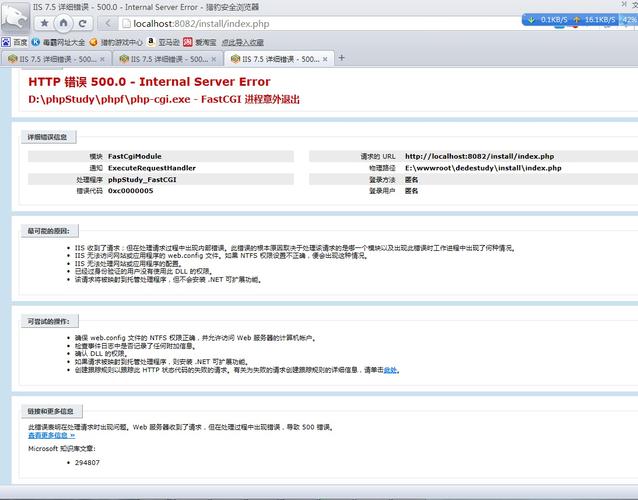
原因:FastCGI进程处理请求的时间超过了预设的超时时间。
解决方法:增加FastCGI的超时时间,可以在Nginx的配置文件中设置fastcgi_read_timeout和proxy_read_timeout参数。
     http {
         ...
         fastcgi_read_timeout 300s;
         proxy_read_timeout 300s;
         ...
}4、cachetool opcache:status fcgi=/tmp/phpcgi.sock 报错:In FastCGI.php line 114: Error: No input file specified
原因:通常是由于FastCGI配置问题引起的,可能是没有指定正确的PHPFPM套接字文件路径。
解决方法:确保PHPFPM的配置文件中正确设置了套接字文件路径,并且该路径与Nginx配置文件中的fastcgi_pass参数一致。
     location ~ \.php$ {
         fastcgi_pass unix:/var/run/php/php7.4fpm.sock;
         include fastcgi_params;
         fastcgi_param SCRIPT_FILENAME $document_root$fastcgi_script_name;
}5、413 Request Entity Too Large
原因:客户端发送的请求实体(如上传的文件)超过了服务器接收的最大限制。
解决方法:增加客户端请求体的大小限制,在Nginx的配置文件中设置client_max_body_size参数。
     http {
         ...
         client_max_body_size 100m;
         ...
     }
二、相关FAQs
Q1: Nginx报403 Forbidden错误怎么办?
A1: 403 Forbidden错误通常表示服务器拒绝了请求,可能的原因包括文件权限问题或SELinux策略限制,解决方法如下:
确保Nginx有权限访问网站根目录和文件,使用chmod和chown命令设置适当的权限:
     sudo chown R wwwdata:wwwdata /var/www/html
     sudo chmod R 755 /var/www/html
如果启用了SELinux,可能需要设置SELinux策略允许Nginx访问相关目录:
     sudo setsebool P httpd_can_network_connect_db 1
     sudo setsebool P httpd_can_network_connect 1
     sudo setsebool P httpd_enabled_at_boot on
     sudo setsebool P httpd_enable_homedirs on
Q2: 如何优化FastCGI的性能?
A2: 优化FastCGI性能的方法包括调整缓冲区大小、增加超时时间、启用缓存等,具体措施如下:
调整缓冲区大小:增加fastcgi_buffer_size和fastcgi_buffers的值,以适应较大的请求记录。
增加超时时间:设置fastcgi_read_timeout和proxy_read_timeout参数,避免因超时而中断请求。
启用缓存:使用Nginx的FastCGI缓存功能,减少重复请求的处理时间。
     location ~ \.php$ {
         include snippets/fastcgiphp.conf;
         fastcgi_pass unix:/var/run/php/php7.4fpm.sock;
         fastcgi_param SCRIPT_FILENAME $document_root$fastcgi_script_name;
         include fastcgi_params;
         fastcgi_cache ngx_fcgi_cache;
         fastcgi_cache_valid 200 302 1h;
         fastcgi_cache_valid 301 1d;
         fastcgi_cache_valid any 1m;
         fastcgi_cache_min_uses 1;
         fastcgi_cache_use_stale error timeout invalid_header http_500 http_503 http_404;
         fastcgi_cache_key "$scheme$request_method$host$request_uri";
     }
FastCGI报错的解决需要根据具体的错误信息进行针对性的调整,通过合理配置Nginx和PHPFPM,可以有效减少FastCGI报错的发生,提高Web应用的稳定性和性能。