在Python编程中,readlines()方法是一个常用的文件操作函数,用于读取文件中的所有行并返回一个列表,其中每一行作为列表的一个元素,在实际使用过程中,开发者可能会遇到各种报错信息,这些报错往往源于对readlines()使用方法的误解或文件操作中的其他问题,本文将详细解析readlines()可能引发的常见错误,并提供实用的解决方案及示例代码。
一、常见报错及解决方案
1. FileNotFoundError: [Errno 2] No such file or directory: 'filename'
错误原因:指定的文件名不存在或者路径错误。
解决方案:确保文件路径正确,如果文件位于子目录中,需要提供相对或绝对路径,检查文件名是否拼写正确,包括大小写。
示例代码:
try:
    with open('path/to/your/file.txt', 'r') as file:
        lines = file.readlines()
        print(lines)
except FileNotFoundError as e:
    print(f"Error: {e}")
2. PermissionError: [Errno 13] Permission denied: 'filename'
错误原因:没有足够的权限来读取文件。
解决方案:检查文件权限,确保当前用户有读取该文件的权限,可以尝试以管理员身份运行脚本或修改文件权限。
示例代码:
try:
    with open('path/to/your/file.txt', 'r') as file:
        lines = file.readlines()
        print(lines)
except PermissionError as e:
    print(f"Error: {e}")
3. IsADirectoryError: [Errno 21] Is a directory: 'dirname'
错误原因:尝试打开一个目录而不是文件。
解决方案:确认提供的文件路径不是指向一个目录,而是具体的文件。
示例代码:
import os
file_path = 'path/to/your/directory/'
if os.path.isdir(file_path):
    print("Error: The path provided is a directory, not a file.")
else:
    try:
        with open(file_path, 'r') as file:
            lines = file.readlines()
            print(lines)
    except Exception as e:
        print(f"An error occurred: {e}")
4. UnicodeDecodeError: 'utf8' codec can't decode byte...
错误原因:文件编码格式与读取时指定的编码不匹配。
解决方案:明确指定文件的编码方式,通常可以使用encoding='utf8'或其他合适的编码格式。
示例代码:
try:
    with open('path/to/your/file.txt', 'r', encoding='utf8') as file:
        lines = file.readlines()
        print(lines)
except UnicodeDecodeError as e:
    print(f"Error: {e}")
5. ValueError: I/O operation on closed file.
错误原因:在文件已经被关闭后尝试进行读写操作。
解决方案:确保在文件上下文管理器内部(with语句块内)完成所有的文件操作,或在使用open()和close()时注意顺序,避免在关闭文件后再进行操作。
示例代码:
try:
    file = open('path/to/your/file.txt', 'r')
    lines = file.readlines()
    file.close()
    print(lines)
except ValueError as e:
    print(f"Error: {e}")
二、FAQs
Q1: 如何一次性读取整个文件的内容?
A1: 使用read()方法可以读取整个文件的内容作为一个字符串,如果你希望将内容存储为列表形式,可以先读取再分割,但通常情况下,readlines()更直接且高效地返回每行作为一个列表元素。
示例代码:
with open('path/to/your/file.txt', 'r') as file:
    content = file.read()  # 读取整个文件内容为单一字符串
    print(content)
Q2: 如果我只想读取文件的最后一行,应该怎么办?
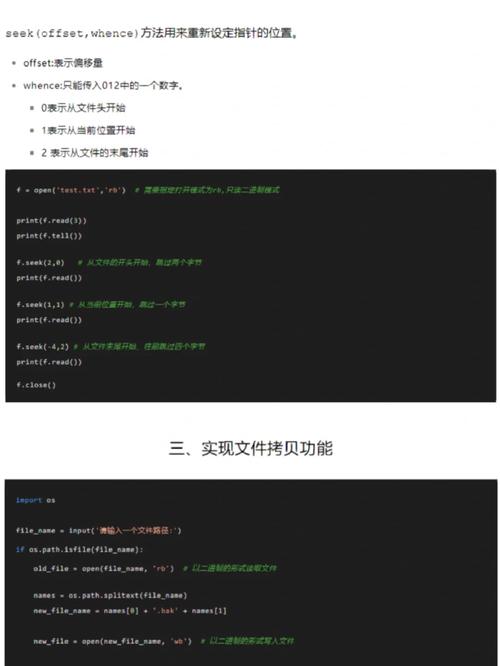
A2: 虽然readlines()会读取整个文件,但你可以通过结合使用seek()和tell()方法定位到文件末尾附近,然后只读取最后几行,不过,对于大文件来说,这种方法效率较低,另一种更高效的方法是利用迭代器从后向前读取。
示例代码:
def tail(filename, n=1):
    with open(filename, 'rb') as f:
        start = f.tell()
        f.seek(0, 2)  # 移动到文件末尾
        while start < f.tell():
            start = f.tell()
            line = f.readline()
            if line:
                yield line.decode('utf8').rstrip()
                if n > 1:
                    n = 1
                    continue
                break
使用示例
for line in tail('path/to/your/file.txt', 1):
print(line) # 打印最后一行通过上述分析和示例,我们可以看出,readlines()报错多与文件路径、权限、类型、编码及操作时机有关,掌握正确的错误处理方法和编程实践,能有效避免这些问题,提高代码的稳定性和健壮性。