AlertDialog 报错分析与解决
在使用 Android 开发应用时,AlertDialog 是常用的组件之一,开发者在使用AlertDialog 时可能会遇到各种错误,本文将详细探讨常见的AlertDialog 报错原因及其解决方法,并附上相关问答FAQs。
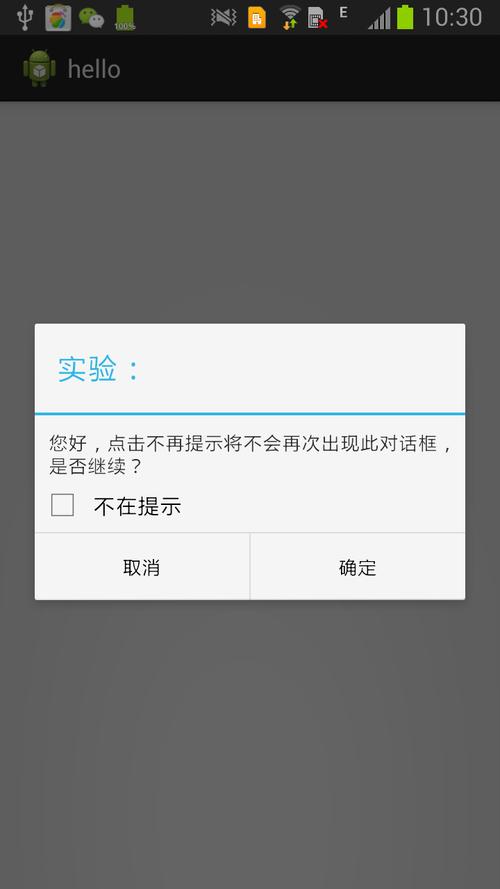
常见AlertDialog 报错及解决方法
1.WindowManager$BadTokenException
错误描述
android.view.WindowManager$BadTokenException: Unable to add window token android.os.BinderProxy@... is not valid; is your activity running?
原因分析
这个异常通常是因为AlertDialog 试图在非活动或未创建的上下文中显示,尝试在onCreate() 方法中立即显示对话框。
解决方法
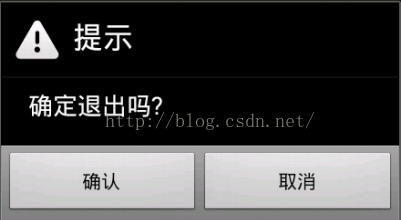
确保在适当的生命周期方法中显示AlertDialog,例如onResume() 或onStart() 方法。
public class MainActivity extends AppCompatActivity {
    @Override
    protected void onCreate(Bundle savedInstanceState) {
        super.onCreate(savedInstanceState);
        setContentView(R.layout.activity_main);

        // 初始化按钮
        Button button = findViewById(R.id.button);
        button.setOnClickListener(new View.OnClickListener() {
            @Override
            public void onClick(View v) {
                showAlertDialog();
            }
        });
    }
    private void showAlertDialog() {
        new AlertDialog.Builder(this)
                .setTitle("提示")
                .setMessage("这是一个对话框")
                .setPositiveButton("确定", null)
                .show();
    }
}2.IllegalArgumentException
错误描述
java.lang.IllegalArgumentException: parameter must be a descendant of this dialog's window
原因分析
这个错误通常发生在AlertDialog 中使用自定义布局时,自定义布局中的视图没有正确添加到对话框的窗口。
解决方法
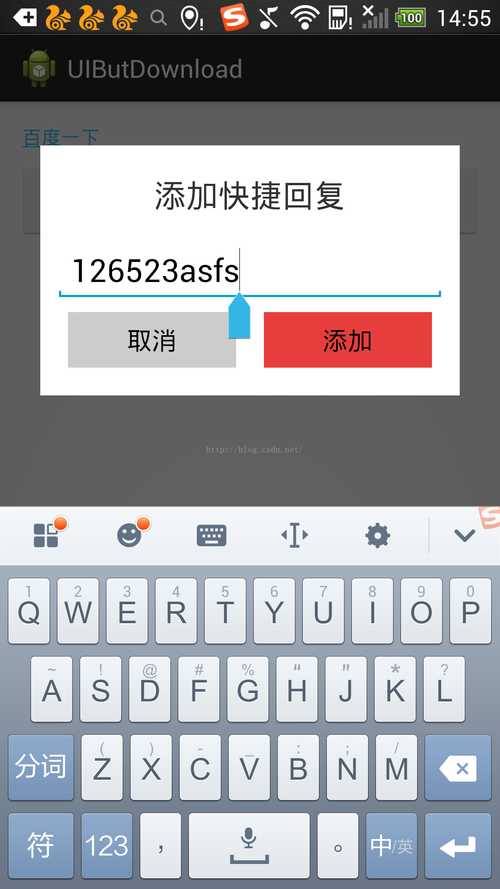
确保自定义布局中的根视图是Dialog 的子类,例如LinearLayout。
<!res/layout/custom_dialog.xml >
<LinearLayout xmlns:android="http://schemas.android.com/apk/res/android"
    android:layout_width="match_parent"
    android:layout_height="wrap_content"
    android:orientation="vertical"
    android:padding="16dp">

    <TextView
        android:layout_width="wrap_content"
        android:layout_height="wrap_content"
        android:text="自定义对话框内容"/>
</LinearLayout>
private void showCustomAlertDialog() {
    AlertDialog.Builder builder = new AlertDialog.Builder(this);
    LayoutInflater inflater = getLayoutInflater();
    View view = inflater.inflate(R.layout.custom_dialog, null);
    builder.setView(view);
    builder.setPositiveButton("确定", null);
    builder.show();
}3.NullPointerException
错误描述
java.lang.NullPointerException: Attempt to invoke virtual method 'void android.widget.Button.setOnClickListener(android.view.View$OnClickListener)' on a null object reference
原因分析
这个错误通常发生在试图对尚未初始化或找不到的视图设置点击事件监听器。
解决方法
确保在调用findViewById 之前已经正确设置了布局文件,ID 是正确的。
@Override
protected void onCreate(Bundle savedInstanceState) {
    super.onCreate(savedInstanceState);
    setContentView(R.layout.activity_main); // 确保布局已加载

    Button button = findViewById(R.id.button); // 确保按钮存在且ID正确
    if (button != null) {
        button.setOnClickListener(new View.OnClickListener() {
            @Override
            public void onClick(View v) {
                showAlertDialog();
            }
        });
    } else {
        Log.e("MainActivity", "Button not found");
    }
}4.Resources$NotFoundException
错误描述
android.content.res.Resources$NotFoundException: Resource ID #0x7f04000b type #0x12 is not valid
原因分析
这个错误通常发生在引用了不存在的资源,例如字符串、布局或图标。
解决方法
确保资源文件存在于正确的目录中,并且引用的资源ID是正确的。
<!res/values/strings.xml >
<resources>
    <string name="app_name">My Application</string>
</resources>
new AlertDialog.Builder(this)
        .setTitle(R.string.app_name) // 确保引用的字符串资源存在
        .setMessage("这是一个对话框")
        .setPositiveButton("确定", null)
        .show();
表格归纳常见错误及解决方法
| 错误类型 | 错误描述 | 解决方法 |
WindowManager$BadTokenException | Unable to add window token ... is not valid | 确保在合适的生命周期方法中显示对话框,例如onResume() 或onStart() |
IllegalArgumentException | parameter must be a descendant of this dialog's window | 确保自定义布局中的根视图是Dialog 的子类,例如LinearLayout |
NullPointerException | Attempt to invoke virtual method ... on a null object reference | 确保在调用findViewById 之前已经正确设置了布局文件,ID 是正确的 |
Resources$NotFoundException | Resource ID ... type ... is not valid | 确保资源文件存在于正确的目录中,并且引用的资源ID是正确的 |
相关问答FAQs
Q1: 如何在AlertDialog 中添加列表项?
A1: 你可以使用setItems() 方法来向AlertDialog 添加列表项,以下是一个示例代码:
String[] items = {"Item 1", "Item 2", "Item 3"};
AlertDialog.Builder builder = new AlertDialog.Builder(this);
builder.setTitle("选择一个选项");
builder.setItems(items, new DialogInterface.OnClickListener() {
    @Override
    public void onClick(DialogInterface dialog, int which) {
        Toast.makeText(MainActivity.this, "你选择了: " + items[which], Toast.LENGTH_SHORT).show();
    }
});
builder.show();
Q2: 如何取消AlertDialog 的默认按钮焦点?
A2: 你可以通过重写show() 方法来取消AlertDialog 的默认按钮焦点,以下是一个示例代码:
AlertDialog alertDialog = new AlertDialog.Builder(this)
        .setTitle("提示")
        .setMessage("这是一个对话框")
        .setPositiveButton("确定", null)
        .create();
alertDialog.show(); // 显示对话框但不自动聚焦到按钮上