CentOS7部署Nginx1.24并启用TLS1.3:从源码到线上全记录,让老系统也能跑满速加密
CentOS7部署Nginx1.24并启用TLS1.24并启用TLS1.3
老机器还在跑CentOS7?别急着换系统,Nginx1.24+TLS1.3照样能让它飞起来。这篇把每一步都掰开揉碎,照着敲命令就能上线,不踩坑、不回头。
为什么非TLS1.3不可
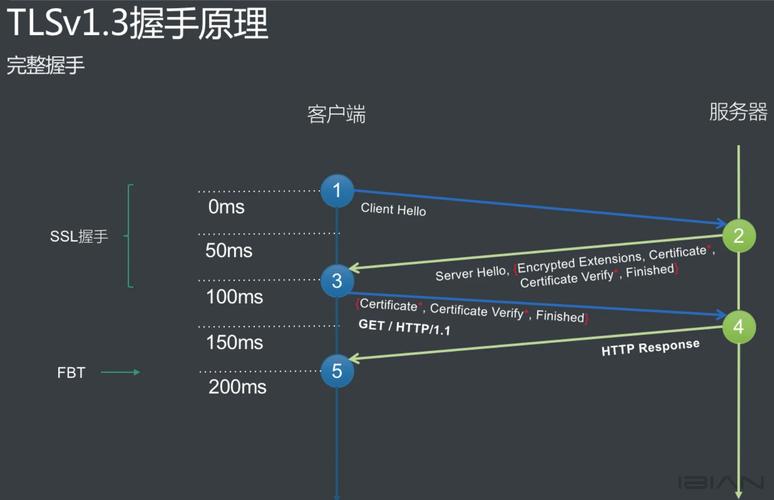
HTTP没加密,浏览器地址栏直接标红;TLS1.2握手来回两次,延迟肉眼可见。TLS1.3砍掉一半往返,移动端弱网也能秒开。合规检查也点名要求“启用最新加密协议”,不过审计直接挂。
环境检查:别让老库拖后腿
CentOS7默认OpenSSL 1.0.2,版本太低,压根不认识TLS1.3。先确认:
openssl version
如果回显不是 1.1.1 或更高,后边的步骤全白搭。升级办法放下面,别急。
源码准备:一次拉全,省得来回找
新建个干净目录,所有源码扔进去,后续好维护:
mkdir -p /data/src && cd /data/src
接着拉三件东西:
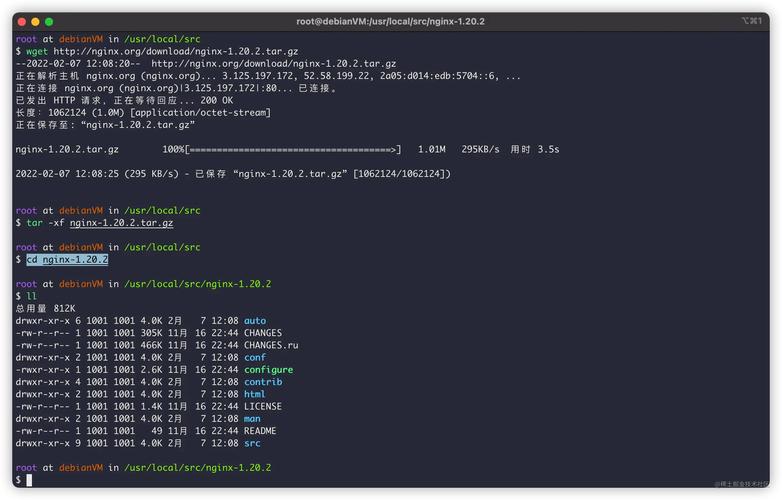
Nginx官网最新稳定包:wget http://nginx.org/download/nginx-1.24.0.tar.gz
OpenSSL 1.1.1w:wget https://www.openssl.org/source/openssl-1.1.1w.tar.gz
PCRE、zlib,系统仓库版本够,yum直接装:
yum install -y pcre-devel zlib-devel gcc make
编译OpenSSL:让系统认得TLS1.3
解压、配置、安装,三步到位:
tar xf openssl-1.1.1w.tar.gz && cd openssl-1.1.1w
./config --prefix=/usr/local/openssl111 --openssldir=/usr/local/openssl111 shared zlib
make -j$(nproc) && make install
装完把库写进系统搜索路径:
echo '/usr/local/openssl111/lib' > /etc/ld.so.conf.d/openssl111.conf && ldconfig
确认一下:
/usr/local/openssl111/bin/openssl version
回显 OpenSSL 1.1.1w 就过关。
编译Nginx1.24:把新OpenSSL嵌进去
回到src目录,解压nginx:
tar xf nginx-1.24.0.tar.gz && cd nginx-1.24.0
配置参数一次写全,后面想加模块直接复用:
./configure --prefix=/etc/nginx --sbin-path=/usr/sbin/nginx --modules-path=/usr/lib64/nginx/modules --conf-path=/etc/nginx/nginx.conf --error-log-path=/var/log/nginx/error.log --http-log-path=/var/log/nginx/access.log --pid-path=/var/run/nginx.pid --lock-path=/var/run/nginx.lock --http-client-body-temp-path=/var/cache/nginx/clienttemp --http-proxy-temp-path=/var/cache/nginx/proxytemp --http-fastcgi-temp-path=/var/cache/nginx/fastcgitemp --http-uwsgi-temp-path=/var/cache/nginx/uwsgitemp --http-scgi-temp-path=/var/cache/nginx/scgitemp --user=nginx --group=nginx --with-compat --with-file-aio --with-threads --with-httpadditionmodule --with-httpauthrequestmodule --with-httpdavmodule --with-httpflvmodule --with-httpgunzipmodule --with-httpgzipstaticmodule --with-httpmp4module --with-httprandomindexmodule --with-httprealipmodule --with-httpsecurelinkmodule --with-httpslicemodule --with-httpsslmodule --with-httpstubstatusmodule --with-httpsubmodule --with-httpv2module --with-mail --with-mailsslmodule --with-stream --with-streamrealipmodule --with-streamsslmodule --with-streamsslprereadmodule --with-openssl=/data/src/openssl-1.1.1w --with-openssl-opt='enable-tls13'
看到 Configuration summary 没报错就继续:
make -j$(nproc) && make install
用户与目录:提前建好,省得启动失败
useradd -r -s /sbin/nologin nginx
mkdir -p /var/cache/nginx/{clienttemp,proxytemp,fastcgitemp,uwsgitemp,scgi_temp}
chown -R nginx:nginx /var/cache/nginx
Systemd服务:开机自启一条命令搞定
写个unit文件,路径别写错:
vim /usr/lib/systemd/system/nginx.service
内容如下:
[Unit]
Description=nginx - high performance web server
After=network-online.target remote-fs.target nss-lookup.target
Wants=network-online.target
[Service]
Type=forking
PIDFile=/var/run/nginx.pid
ExecStartPre=/usr/sbin/nginx -t
ExecStart=/usr/sbin/nginx
ExecReload=/bin/kill -s HUP $MAINPID
ExecStop=/bin/kill -s TERM $MAINPID
PrivateTmp=true
[Install]
WantedBy=multi-user.target
保存后:
systemctl daemon-reload && systemctl enable nginx
TLS1.3证书:免费通配符也能用
有预算就上OV/EV,个人站直接Let's Encrypt:
yum install -y certbot
certbot certonly --webroot -w /var/www/html -d yourdomain.com -d *.yourdomain.com --email your@email.com --agree-tos
证书路径固定:
/etc/letsencrypt/live/yourdomain.com/fullchain.pem
/etc/letsencrypt/live/yourdomain.com/privkey.pem
自动续期别忘加:
echo '0 3 * certbot renew --quiet --post-hook "systemctl reload nginx"' | crontab -
Nginx配置:三行就能开TLS1.3
备份原配置:
cp /etc/nginx/nginx.conf /etc/nginx/nginx.conf.bak
精简server段,没用的先删:
server {
listen 443 ssl http2;
servername yourdomain.com;
sslcertificate /etc/letsencrypt/live/yourdomain.com/fullchain.pem;
sslcertificatekey /etc/letsencrypt/live/yourdomain.com/privkey.pem;
sslprotocols TLSv1.2 TLSv1.3;
sslciphers TLSAES128GCMSHA256:TLSAES256GCMSHA384:TLSCHACHA20POLY1305SHA256:ECDHE-RSA-AES128-GCM-SHA256:ECDHE-RSA-AES256-GCM-SHA384;
sslpreferserverciphers off;
sslsessioncache shared:SSL:10m;
sslsessiontimeout 10m;
add_header Strict-Transport-Security "max-age=63072000; includeSubDomains; preload" always;
location / {
root /var/www/html;
index index.html;
}
}
检测语法:
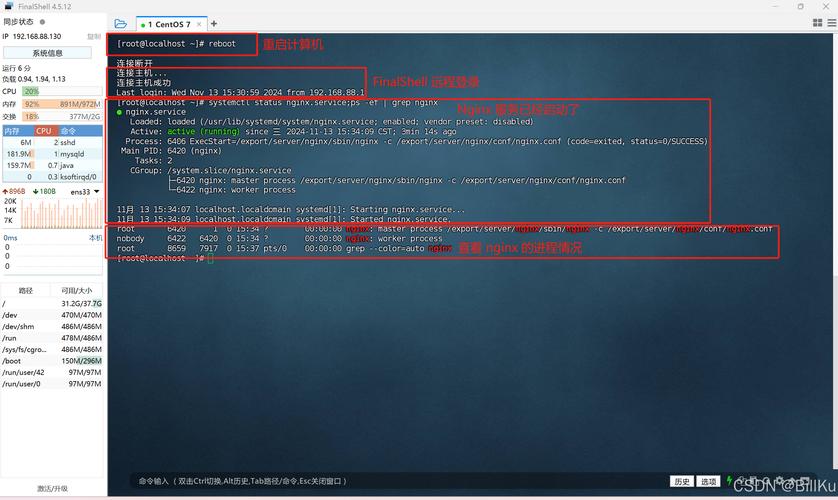
nginx -t
看到 test is successful 再reload:
systemctl start nginx && systemctl reload nginx
在线验证:一秒看出有没有TLS1.3
命令行本地测:
openssl sclient -connect yourdomain.com:443 -tls13
回显里出现 Protocol : TLSv1.3 就齐活。
浏览器端按F12,点Security,TLS1.3字样亮绿灯。
性能小调:让老机也能跑满带宽
worker数量跟CPU核数一致:
worker_processes auto;
开Gzip,HTML、JS、CSS全压:
gzip on;
gzip_types text/plain text/css application/json application/javascript text/xml application/xml application/xml+rss text/javascript;
缓存静态文件,磁盘慢的尤其明显:
location ~* \.(jpg|jpeg|png|gif|ico|css|js)$ {
expires 30d;
add_header Cache-Control "public, immutable";
}
排坑速查:90%失败都卡在这
1. 启动报 nginx: [emerg] unknown directive "ssl" → 编译时漏了 --with-httpsslmodule,重编。
浏览器只协商到TLS1.2 → 系统OpenSSL没换,确认ldconfig已刷新。
certbot续期失败 → 80端口被占用,临时关nginx,续完再开。
访问慢 → 没开http2,listen行漏了http2参数。
备份与回滚:改错配置秒还原
整站配置打包:
tar czf /data/nginx-backup-$(date +%F).tar.gz /etc/nginx /usr/sbin/nginx /usr/local/openssl111
一旦出问题:
tar xzf /data/nginx-backup-xxx.tar.gz -C / && systemctl restart nginx
一条命令回到原点。
照着做完,CentOS7照样能跑出TLS1.3的满格安全锁。老系统不背锅,性能、合规、体验全都要。