@ComponentScan 报错问题排查指南
@ComponentScan 是 Spring 框架中用于自动扫描和装配 Bean 的注解,当使用@ComponentScan 时,可能会遇到各种错误,这些错误通常与配置、依赖注入、包路径等相关,本文将详细讨论如何排查和解决常见的@ComponentScan 报错问题。
常见问题及解决方案
1. NoClassDefFoundError: org/springframework/stereotype/Component
问题描述:
在启动 Spring Boot 应用时,出现NoClassDefFoundError: org/springframework/stereotype/Component 错误。
原因:
该错误通常是由于缺少 Spring 相关的依赖库引起的。
解决方案:
确保在项目的构建文件(例如pom.xml 或build.gradle)中包含以下依赖项:
<!Maven >
<dependency>
    <groupId>org.springframework</groupId>
    <artifactId>springcontext</artifactId>
    <version>5.3.10</version>
</dependency>
或者对于 Gradle:
// Gradle
implementation 'org.springframework:springcontext:5.3.10'
2. ClassNotFoundException: com.example.MyService
问题描述:
在启动应用时,出现ClassNotFoundException,提示找不到某个类。
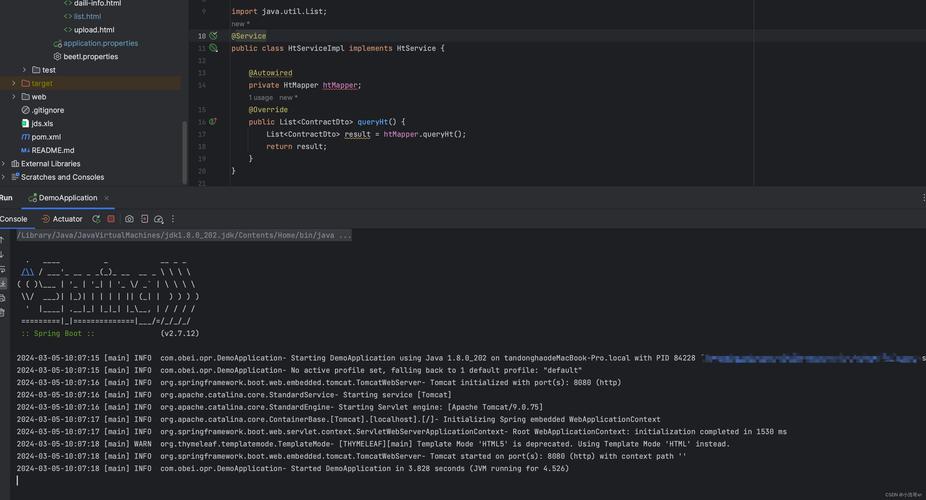
原因:
这可能是由于组件扫描的包路径不正确导致的。
解决方案:
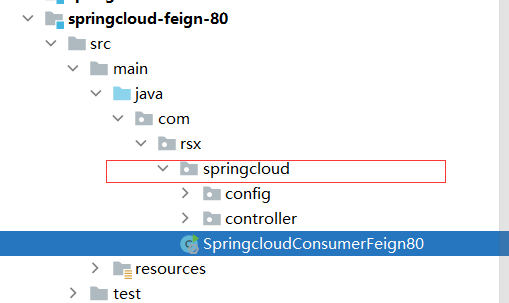
确保@ComponentScan 注解中的包路径正确。
@SpringBootApplication(scanBasePackages = "com.example")
public class Application {
    public static void main(String[] args) {
        SpringApplication.run(Application.class, args);
    }
}或者在application.properties 文件中指定:
spring.componentscan.basepackages=com.example
3. CircularDependencyException: Error creating bean with name 'myService': Requested bean is currently in creation
问题描述:
在启动应用时,出现循环依赖错误,导致 Bean 无法创建。
原因:
两个或多个 Bean 之间存在相互依赖关系,导致循环依赖。
解决方案:
可以通过构造函数注入或 Setter 方法注入来打破循环依赖。
@Service
public class MyServiceA {
    private final MyServiceB serviceB;
    @Autowired
    public MyServiceA(MyServiceB serviceB) {
        this.serviceB = serviceB;
    }
}如果仍然不能解决问题,可以使用@Lazy 注解来延迟加载依赖:
@Service
public class MyServiceB {
    private final MyServiceA serviceA;
    @Autowired
    public MyServiceB(@Lazy MyServiceA serviceA) {
        this.serviceA = serviceA;
    }
}
4. IllegalArgumentException: Not an managed type
问题描述:
在启动应用时,出现IllegalArgumentException: Not an managed type 错误。
原因:
这通常是由于尝试将非托管类型(如普通 Java 对象)作为 Spring Bean 注入引起的。
解决方案:
确保要注入的类上使用了适当的注解,如@Component,@Service,@Repository 等。
@Service
public class MyService {
    // Service implementation
}
5. NoSuchBeanDefinitionException: No qualifying bean of type available
问题描述:
在启动应用时,出现NoSuchBeanDefinitionException,提示没有找到符合条件的 Bean。
原因:
这可能是由于 Bean 没有被正确扫描到,或者注入点没有使用正确的注解。
解决方案:
检查@ComponentScan 注解的配置是否正确,并确保注入点使用了正确的注解。
@Autowired
private MyService myService;
确保MyService 类上有适当的 Spring 注解,如@Service。
FAQs
Q1: 如果使用@ComponentScan 还是找不到某些 Bean,应该怎么办?
A1: 确保@ComponentScan 指定的包路径正确且包含了所有需要扫描的类,检查是否有拼写错误或包结构不一致的问题,如果问题仍然存在,可以在application.properties 文件中手动指定要扫描的包路径。
Q2: 如何在不使用@ComponentScan 的情况下进行组件扫描?
A2: 除了@ComponentScan,还可以通过在application.properties 或application.yml 文件中配置spring.componentscan.basepackages 属性来指定要扫描的包路径。
spring.componentscan.basepackages=com.example.package1,com.example.package2
这样可以避免在主类上使用@ComponentScan 注解。